Know what you owe, and prove you paid it
For families who employ a helper, a driver, a nanny or a carer at home.
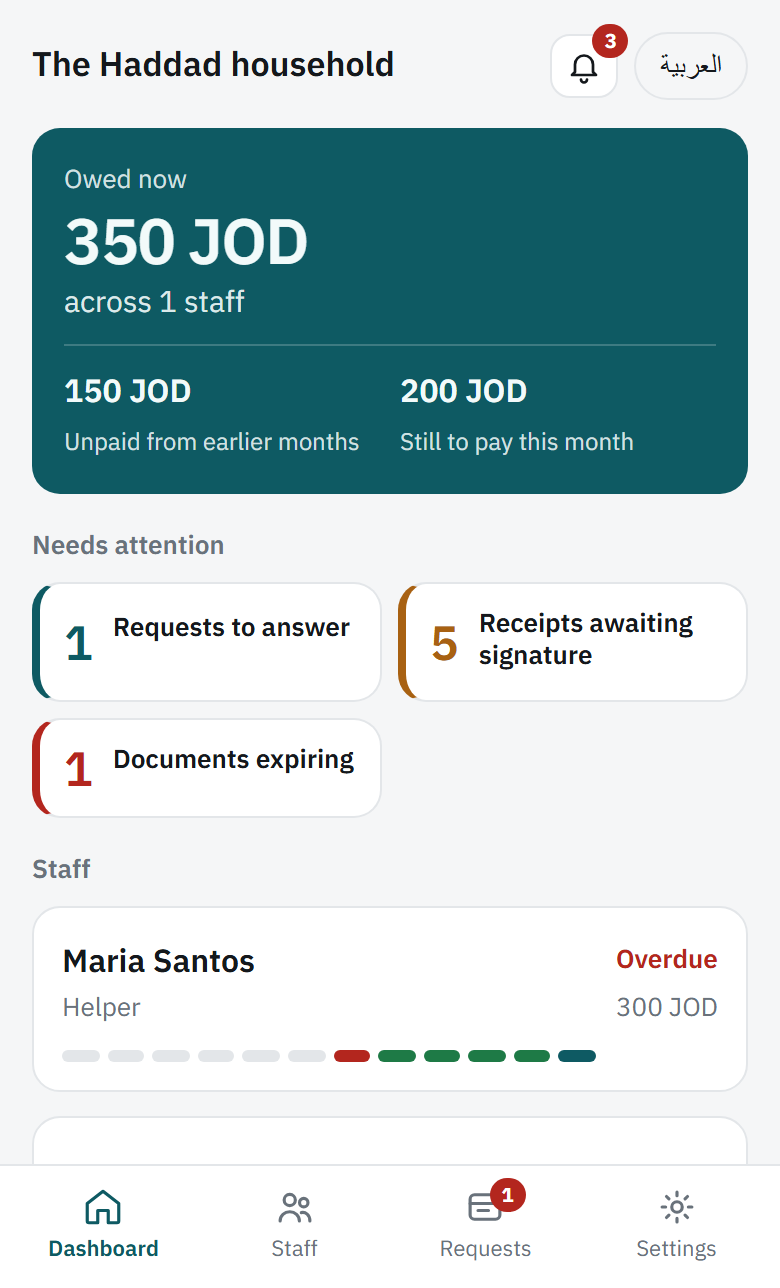
Salaries, advances, loans and papers that expire, all in one place on your phone. The person you pay gets their own login and signs for every handover.
Free while it is new. No card, no trial that runs out.
- English and Arabic
- Works on any phone
- No app store
- Export or delete at any time
The notebook works until it does not
Most households run on memory and a folded notebook. Who was paid for which month, whether the advance came off yet, when the residency card expires. It works until somebody remembers it differently, and then there is nothing to point at.
What you get out of it
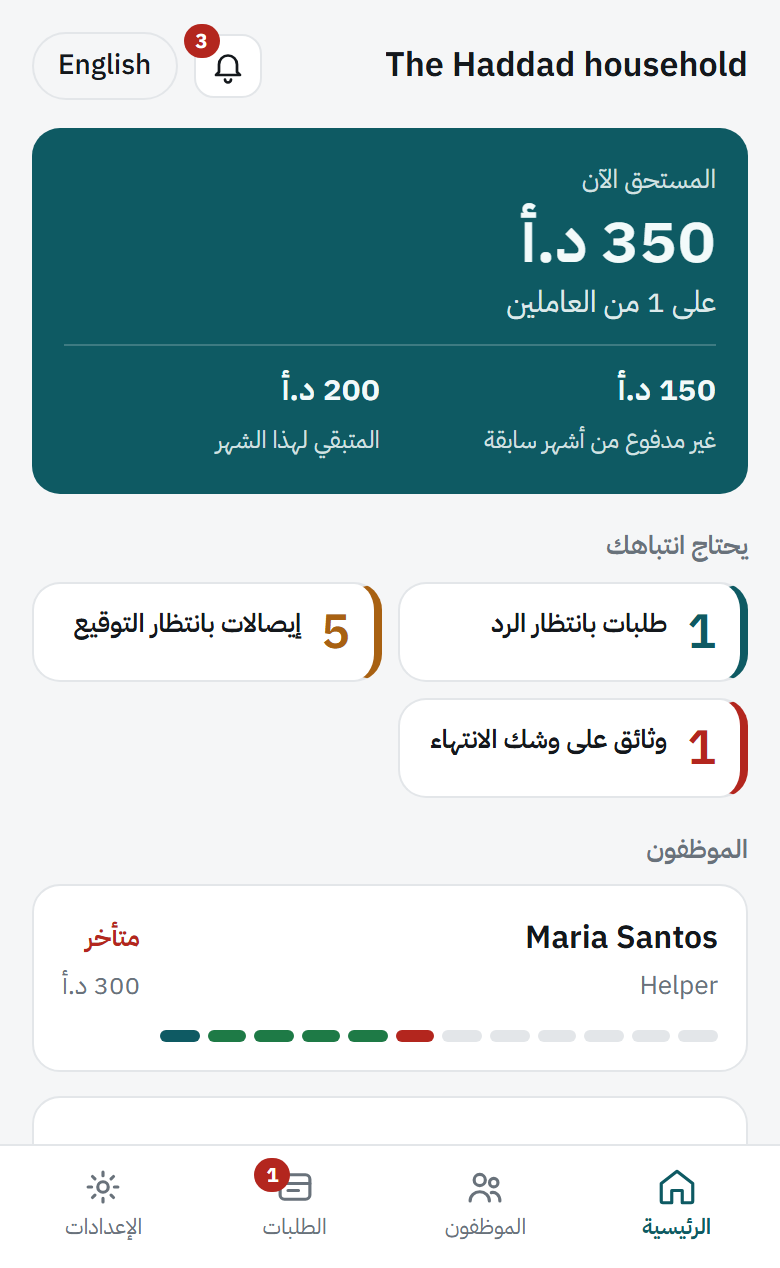
Stop guessing which month is unpaid
A year of payments in one coloured strip. You can see arrears building before they turn into a conversation you did not want to have.
Advances that deduct themselves
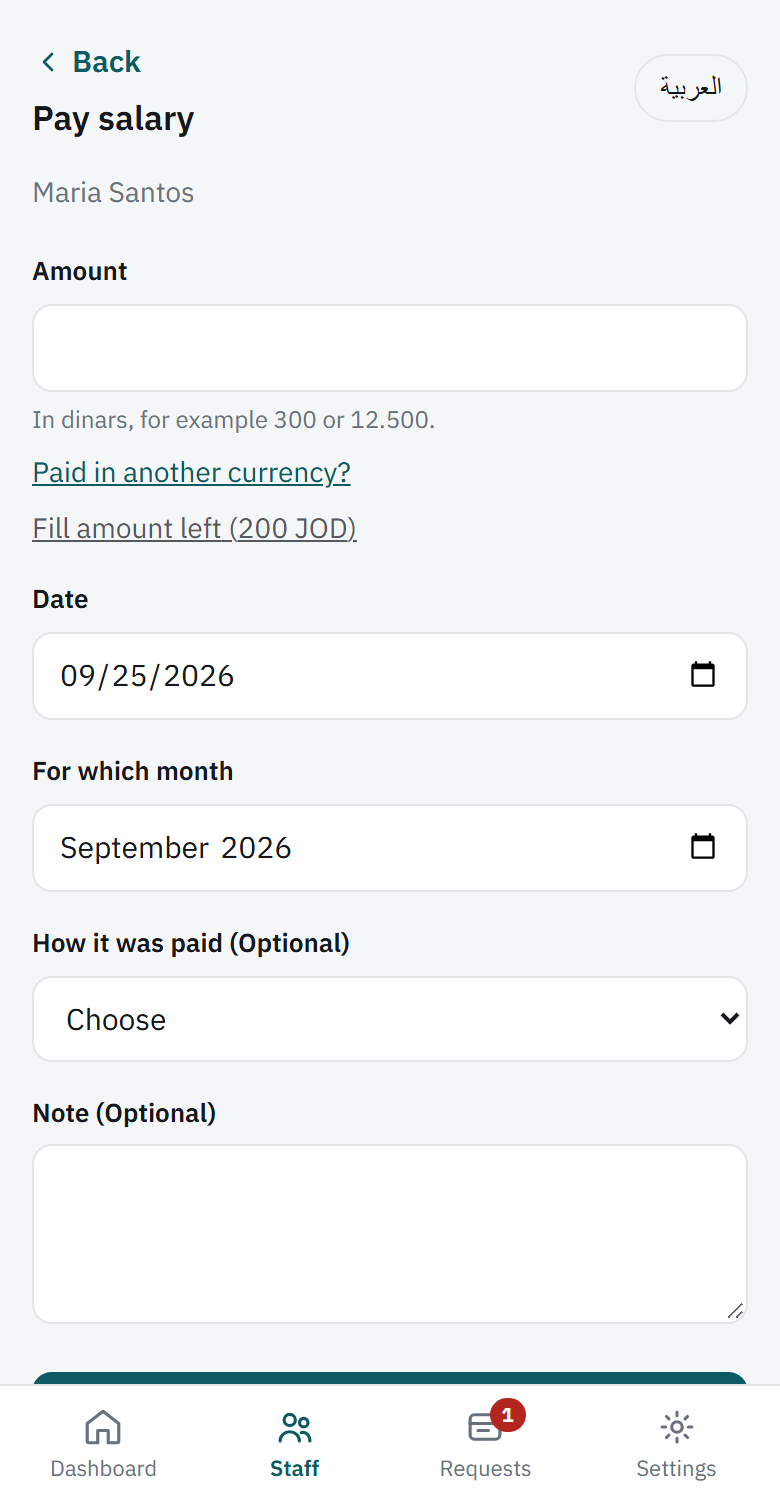
Agree an amount and a monthly instalment once, and it comes off each month on its own. If the instalment is not settled yet, leave it open and fill it in when you have both agreed.
Never miss a permit renewal
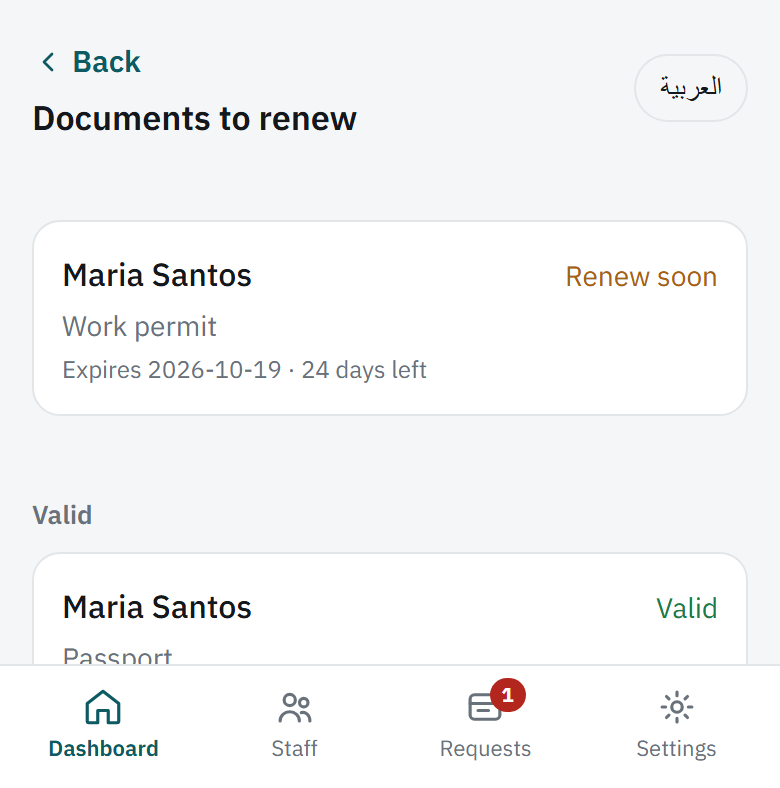
Warned sixty days before a residency card or work permit runs out, then again at thirty, at seven, and on the day.
One place instead of four
Days off, flights home, permit fees and Eid money, recorded against the person they belong to rather than remembered.
Both of you see the same record
This is the part that changes how it feels.
They see their own record
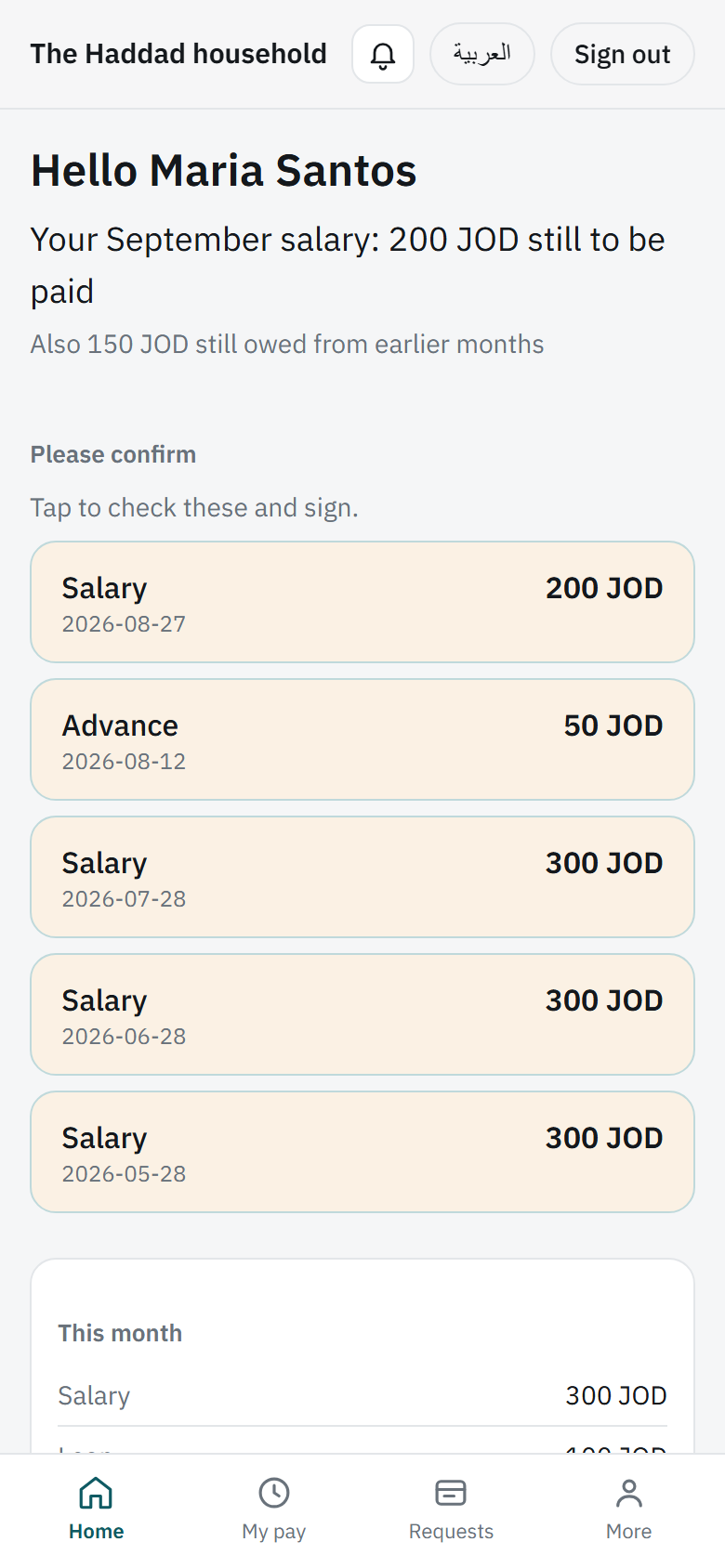
What they are owed and what they were paid, on their own phone, in Arabic if they prefer. Nothing about anyone else.
They sign for every payment
A signature kept with the record, so neither of you has to rely on memory.
They can ask in their own time
An advance, a loan or leave, requested in the app instead of raised face to face at an awkward moment.
Three steps to set up
- 1
Create your household
Continue with Google or your email. Two minutes.
- 2
Add the people you pay
Name, salary, and what you already owe each other today.
- 3
Give them a login
They scan a code and choose their own PIN, which you never see.
Add it to your home screen from your browser and it opens like any other app.
Nobody else can read your records
Not other families using it, and not the person running the service. Every row in the database carries the household it belongs to, and the database itself refuses any query whose household is not yours, so there is no screen, no account and no support tool that could show your staff, salaries or documents to anyone outside your home.
Questions
Is it really free?
Yes, while it is new. No card, and no trial that quietly ends. If that ever changes you will be told well in advance, and you can take everything with you.
Who can see my data?
You, anyone you make an admin, and each person for their own record. Nobody else, including us. That is enforced inside the database, not by hiding buttons on a screen.
What if my helper has no smartphone?
You can still use it on your own. Record what you pay and collect their signature on your phone in front of them. If they have any phone at all, you can set them up with a temporary PIN instead of a QR code.
What if they cannot read well?
Every screen is in Arabic as well as English, and the figures are large and plain. Signing is a fingertip on the screen, not a form. If reading is a real difficulty, leave their login off and sign on your phone together.
Do I need to enter past months?
No. You pick the month to start from and enter only what you owe each other today. Nothing before that is recorded, and nothing is missing.
Can my husband or wife use it too?
Yes. Invite them as a second admin and you both see the same records and answer the same requests. You can hand the household over to them, or remove them, at any time.
Can I export or delete everything?
At any time, without asking anyone. Export gives you a spreadsheet and a full backup. Deleting a household hides it at once and keeps it for thirty days in case you change your mind, then removes it for good.
What happens to my records if I stop using it?
They stay as they are. Nothing is deleted for not signing in, and nothing expires. Take an export whenever you like, so the copy in your hands does not depend on us being here.
Is it in the App Store or Google Play?
No, and it does not need to be. You add it to your home screen from the browser and it opens like any other app. No store account, no updates to install.
See every screen first
A walk through the whole app, with pictures.