How to run payroll for the people who work in your home
What each person is owed, what you have paid, and a signed receipt for every handover. This walks through it from the first sign in to the monthly routine. Every screen below is real, filled with an example household.
Getting in
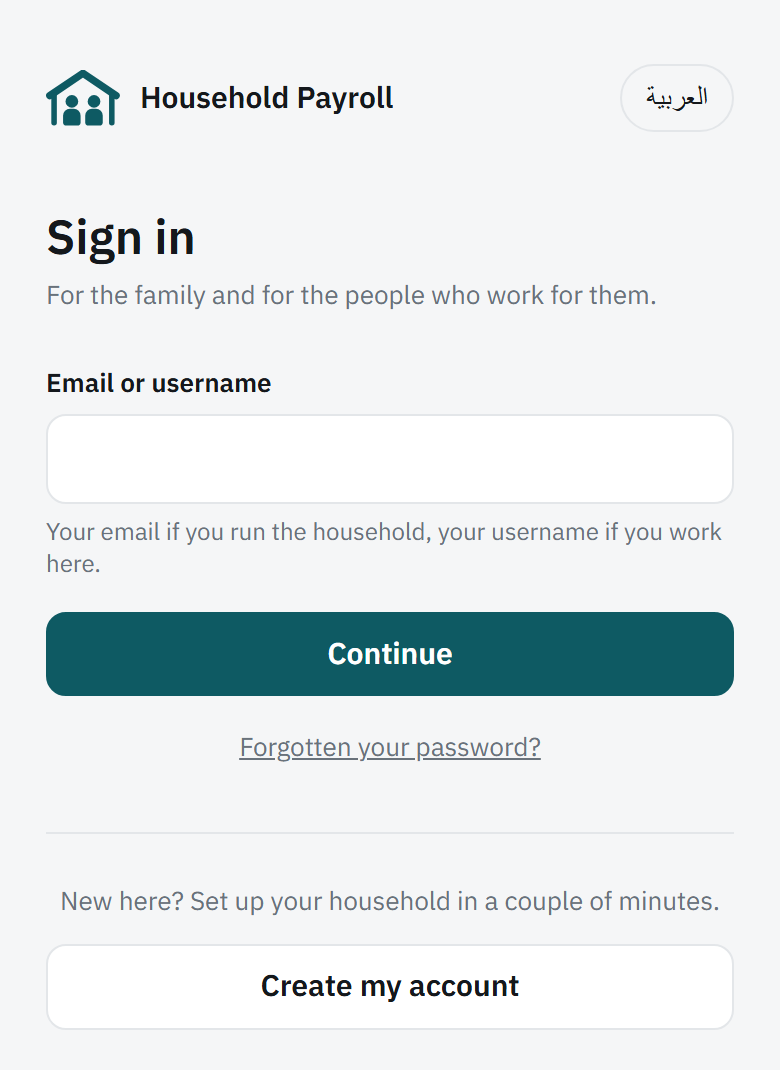
Open householdpayroll.app in your phone’s browser. One sign in page serves everybody: type your email if you run the household, or your username if you work here, and it asks for the right thing next.
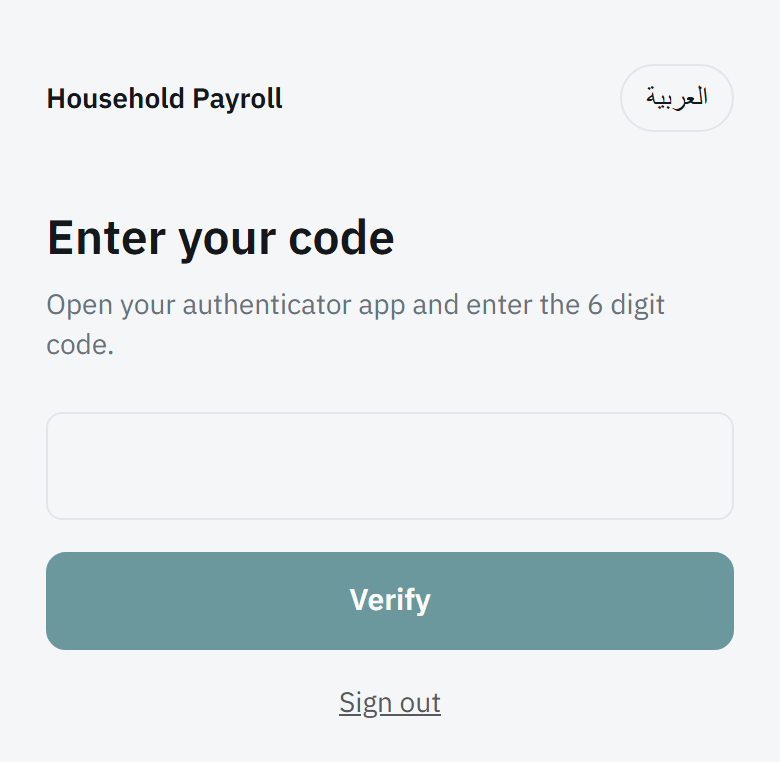
Running the household means a password and then a six digit code from an authenticator app. Working here means a PIN, and no code.
Put it on your home screen
It then opens like an app, without the browser bar. On iPhone: Share, then Add to Home Screen. On Android: the three dots, then Install app.
Reading the home screen
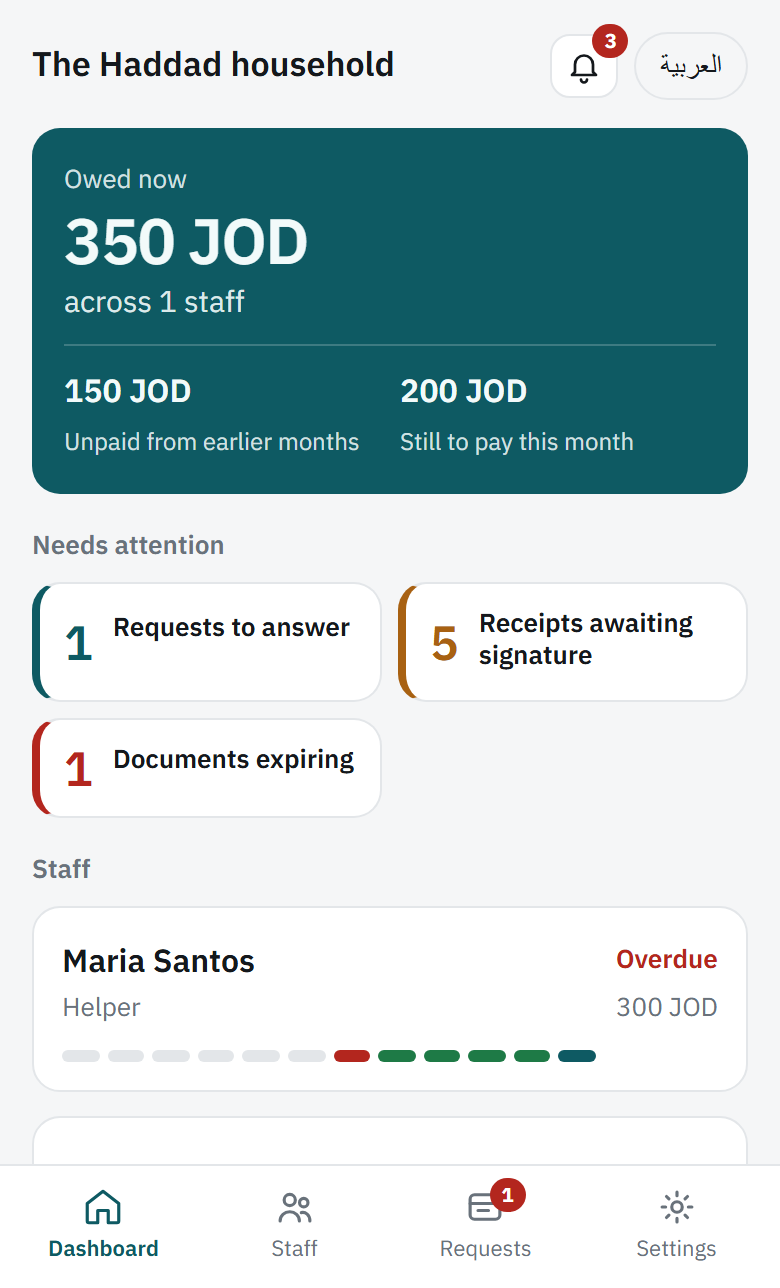
The teal panel answers the question you open the app to ask:
| Owed now | Everything outstanding, this month and before. |
| From earlier months | Arrears. If this is not zero, something was missed. |
| This month | What is still to pay for the month you are in. |
Underneath, Needs attention shows only tiles that have something in them. No tiles means nothing is waiting for you. Each one links to the screen that clears it.
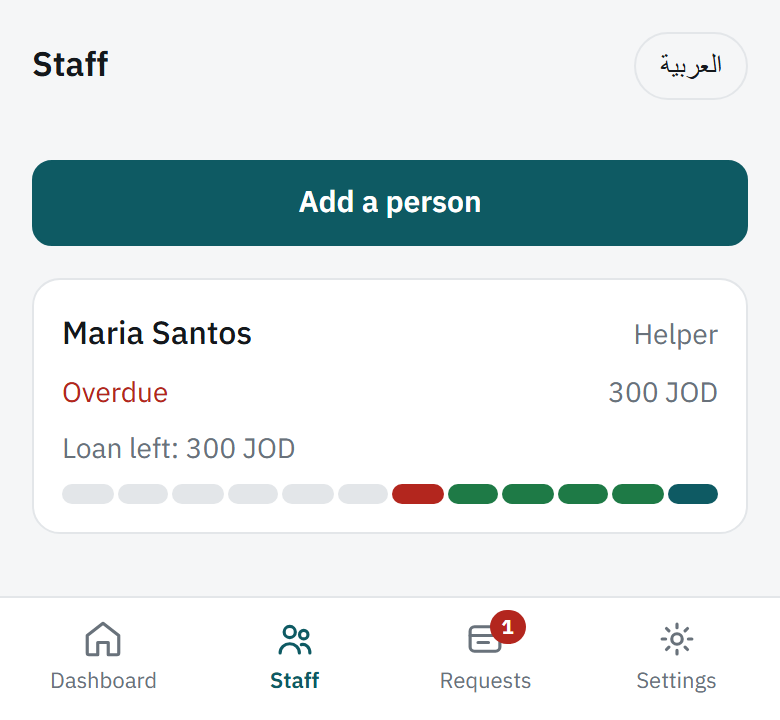
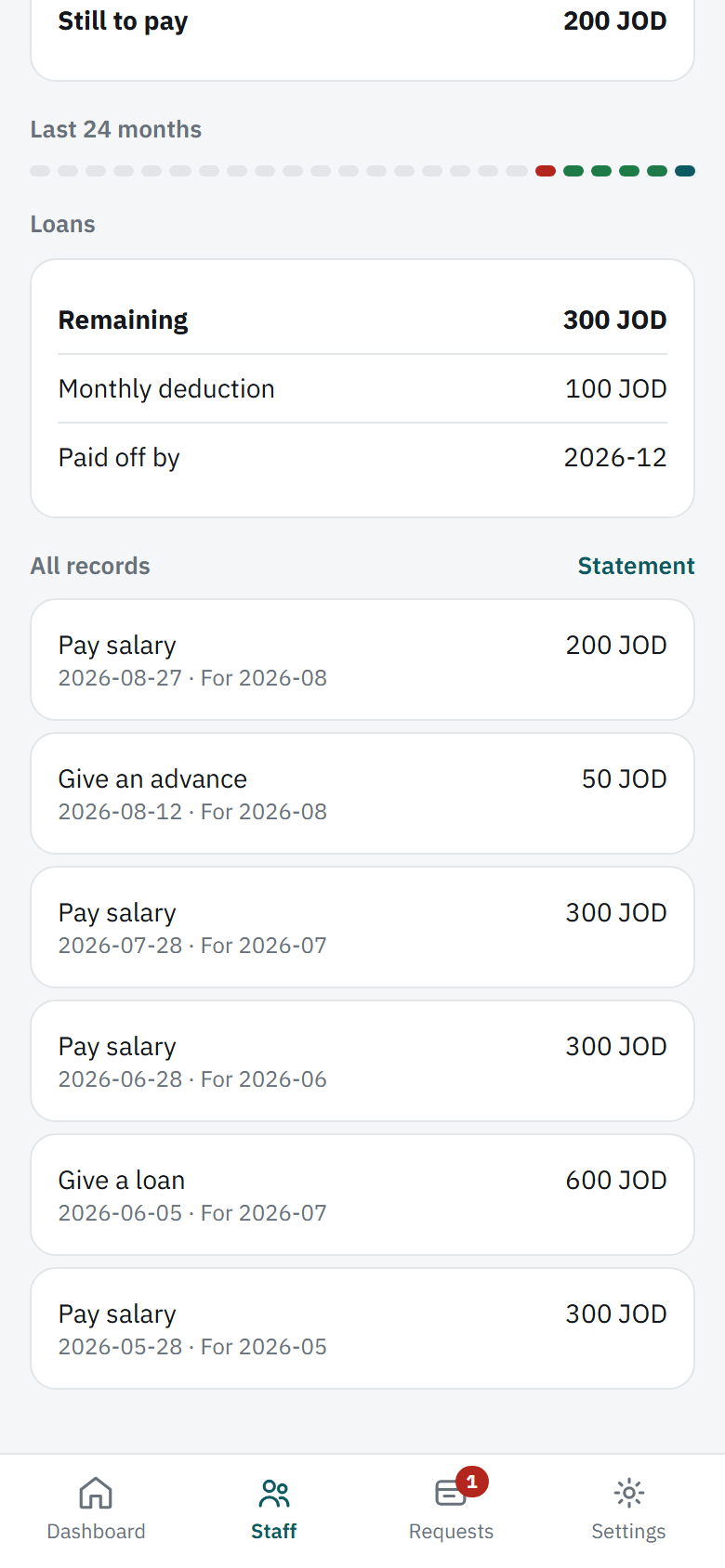
Then each person, with a coloured strip of the last twelve months: green paid, amber part paid, red overdue, grey nothing recorded.
Adding someone
Staff, then Add a person. Name, role and monthly salary are the only things it insists on.
Track from
The month the app starts keeping records. It is not their start date. Pick the month you want the ledger to begin, usually this one, and nothing before it is recorded.
Where they stand today
The part to get right. If you already owe them, or they owe you, or a loan is part paid, enter it here. Whatever you put becomes their opening position, and they see it and sign it on their own phone the first time they sign in.
A person’s page
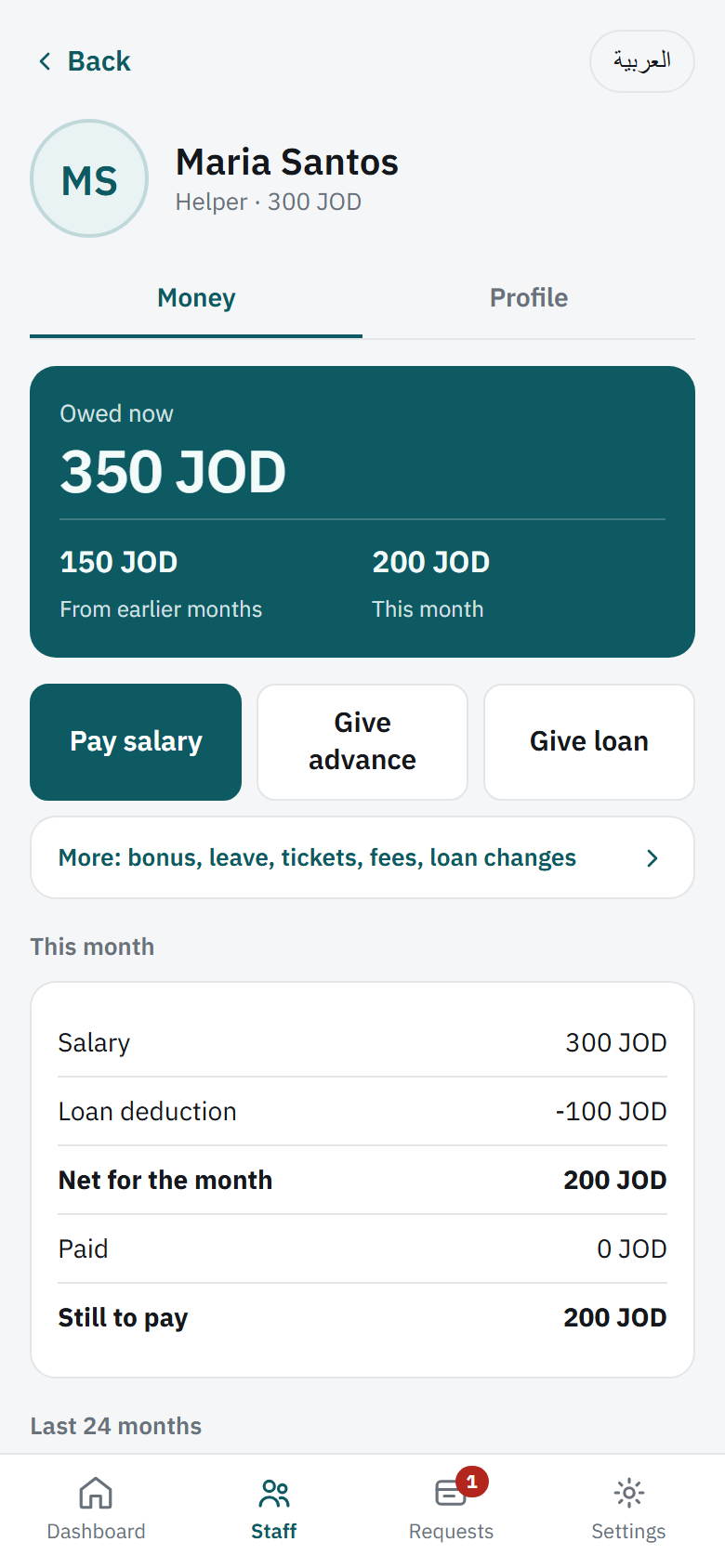
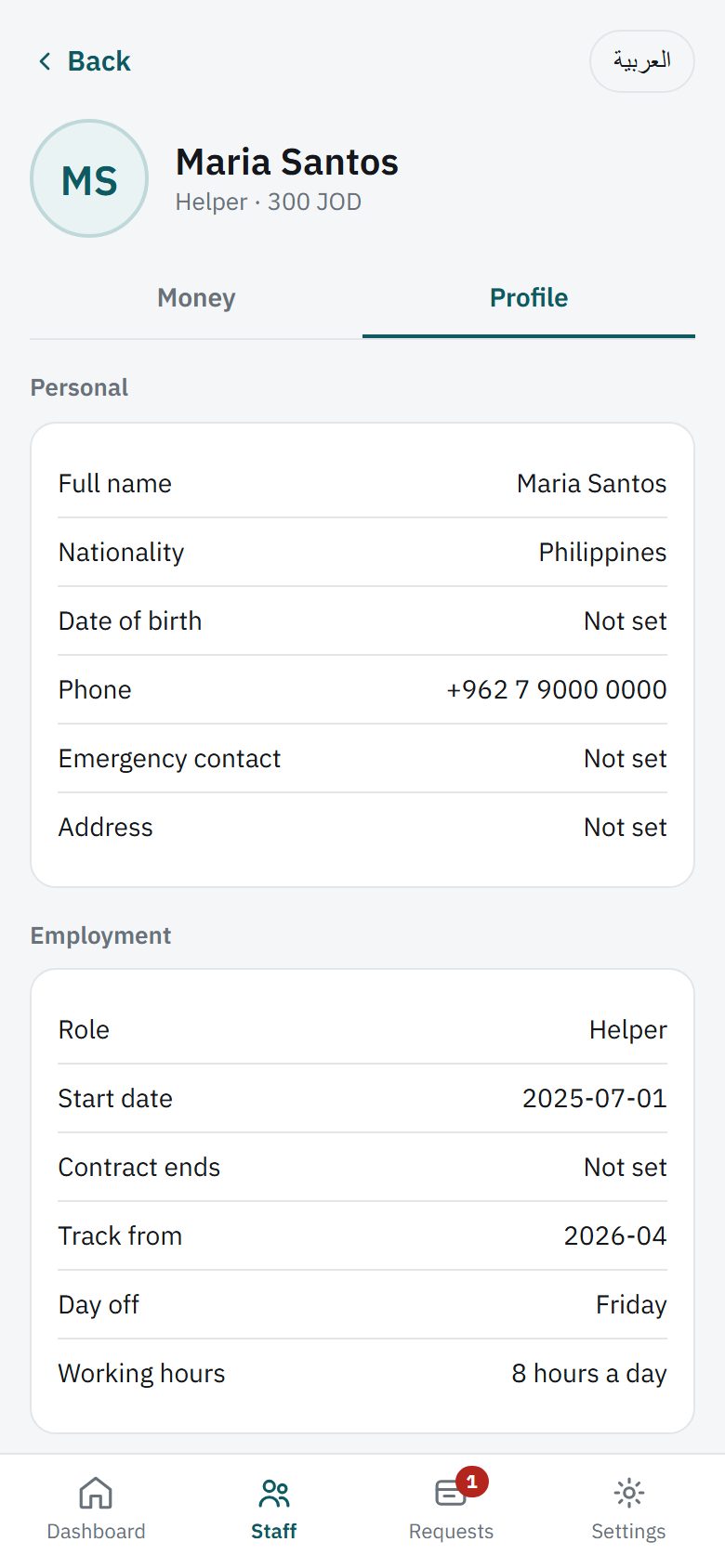
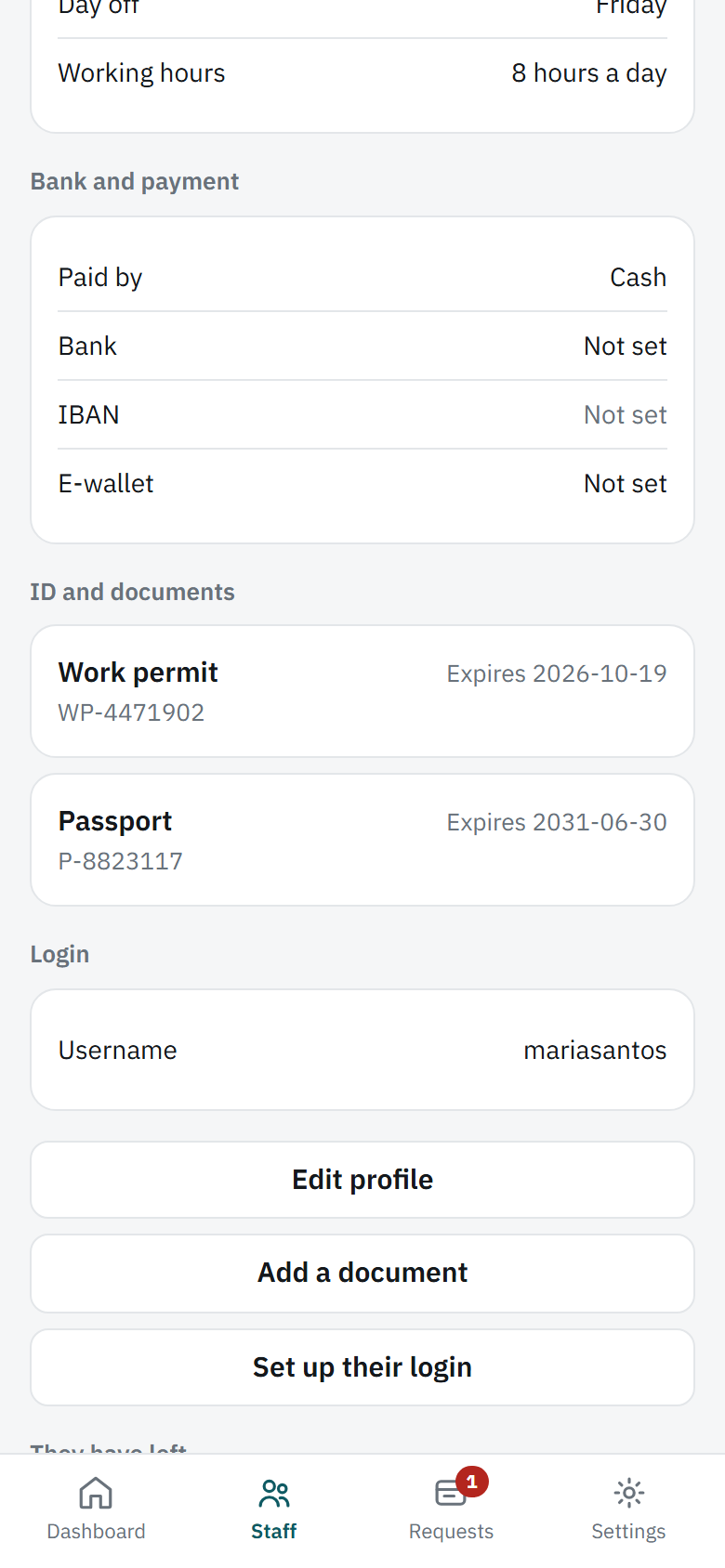
Two tabs. Money is the ledger. Profile is who they are and the papers you hold for them.
Paying, advances and loans
Three buttons sit under the balance on the Money tab.
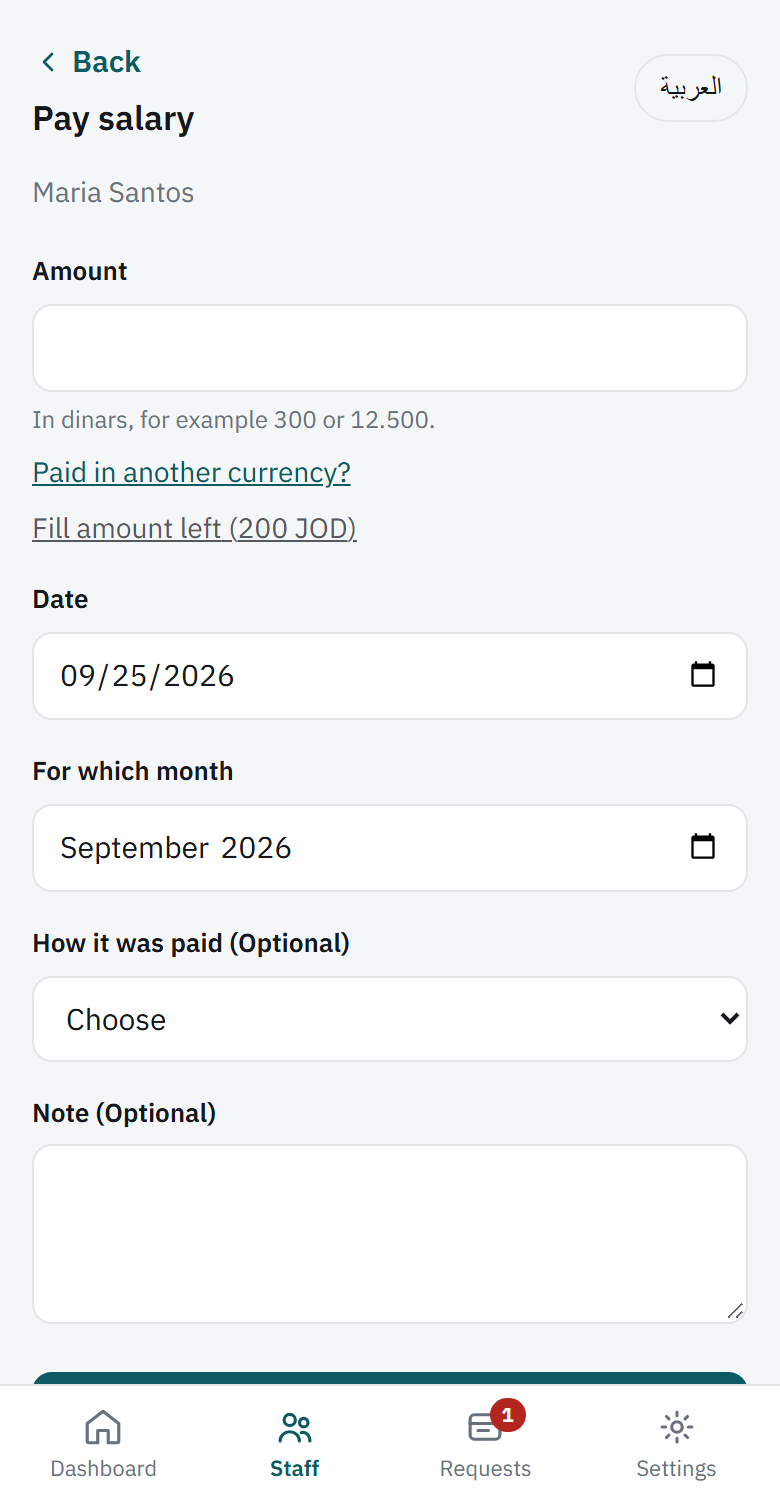
| Pay salary | A handover against a particular month. |
| Give advance | Money now, taken off a month you choose. |
| Give loan | A larger sum, repaid over months you set. |
More opens the rest: extra payments, leave, tickets, permit fees and changes to a loan.
Paying in another currency
Every form has a link for it. You type the rate you actually used. Nothing is looked up, so the figure stays the one you agreed between you, and both amounts are kept.
The signature
After saving a payment you can collect a signature on your phone there and then, or send it to theirs. Until it is signed the record shows as awaiting signature, and it appears as a tile on your home screen.
When they ask for something
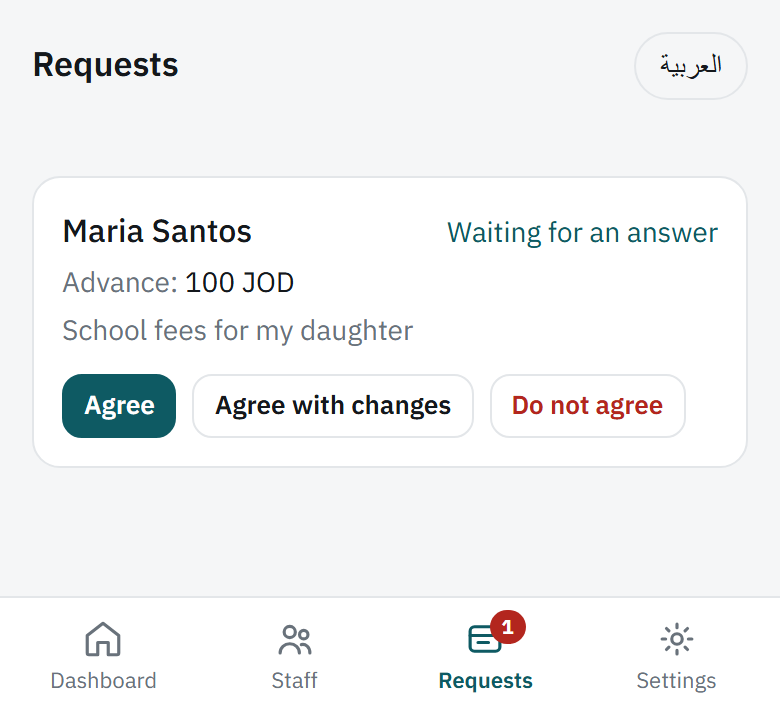
Staff can ask for an advance, a loan, leave or anything else from their own phone. It arrives as a notification, an email, and a tile on your home screen.
You have three answers:
- Agree: exactly what they asked for.
- Agree with changes: a different amount, a different monthly deduction, a different starting month. They see what you agreed, not what they asked.
- Say no: a reason is required, and they see it.
Agreeing moves no money. It records the decision. You still record the handover when it happens, and that is what they sign for.
If they think something is wrong
Instead of signing, they can tap This looks wrong. That opens a dispute, tells both admins, and leaves the record unsigned until it is settled.
Documents and renewals
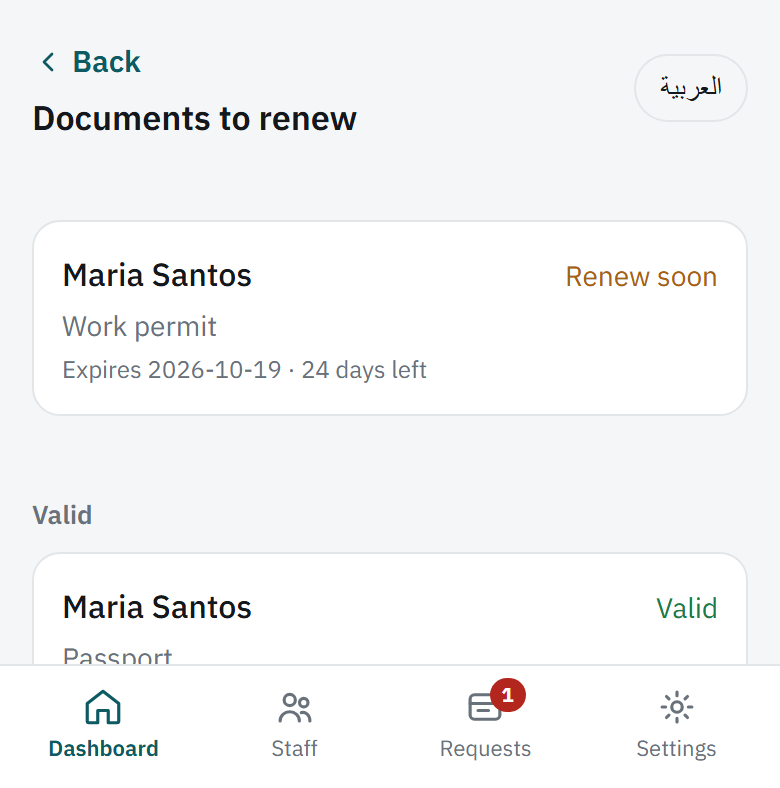
Passports, residency cards, work permits, licences, contracts, insurance. Photograph the page and add an expiry date.
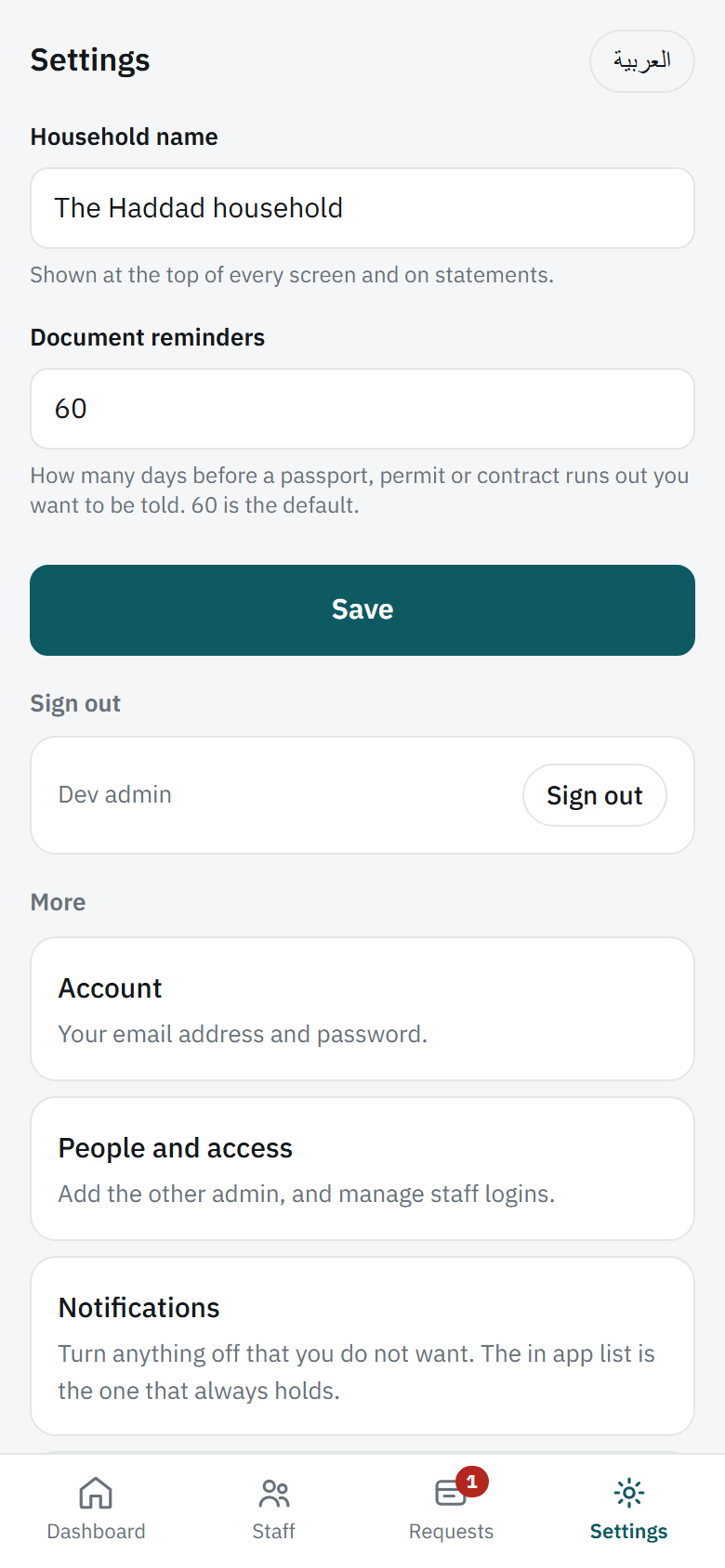
The app then watches it. You are told at sixty days, thirty days, seven days and on the day itself, by notification and by email. Sixty is the default and you can change it under Settings.
The person can see their own documents. Nobody outside your household can see any of them.
Giving them their own login
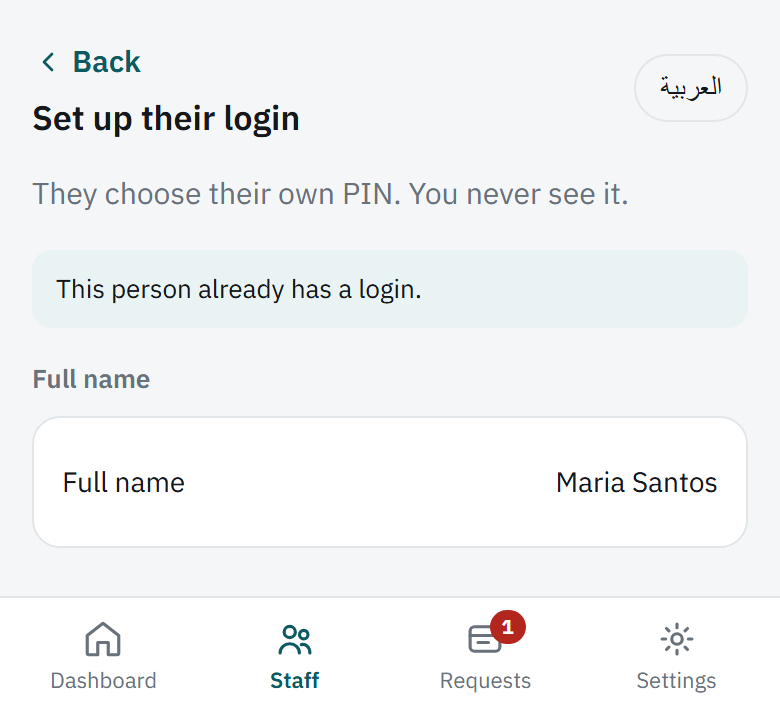
On their Profile tab, Set up their login. You get a QR code to show on your screen. They scan it with their own phone and choose their own PIN, which you never see.
Signed in, they can see and do exactly this much:
- What they are owed, and their own record
- Their loans and how much is left
- Their own leave and documents
- Ask for an advance, a loan or leave
- Sign for a payment, or say something looks wrong
They cannot see anybody else, any total, or anything about the household. Another member of staff is invisible to them.
Settings, and taking a copy
Under Settings:
| Household name | Shown at the top of every screen and on statements. |
| Document reminders | How many days ahead to warn you. Sixty by default. |
| People and access | Add the other admin, and manage staff logins. |
| Notifications | Turn off anything you do not want to be told about. |
| Change history | Every change ever made, who made it and when. |
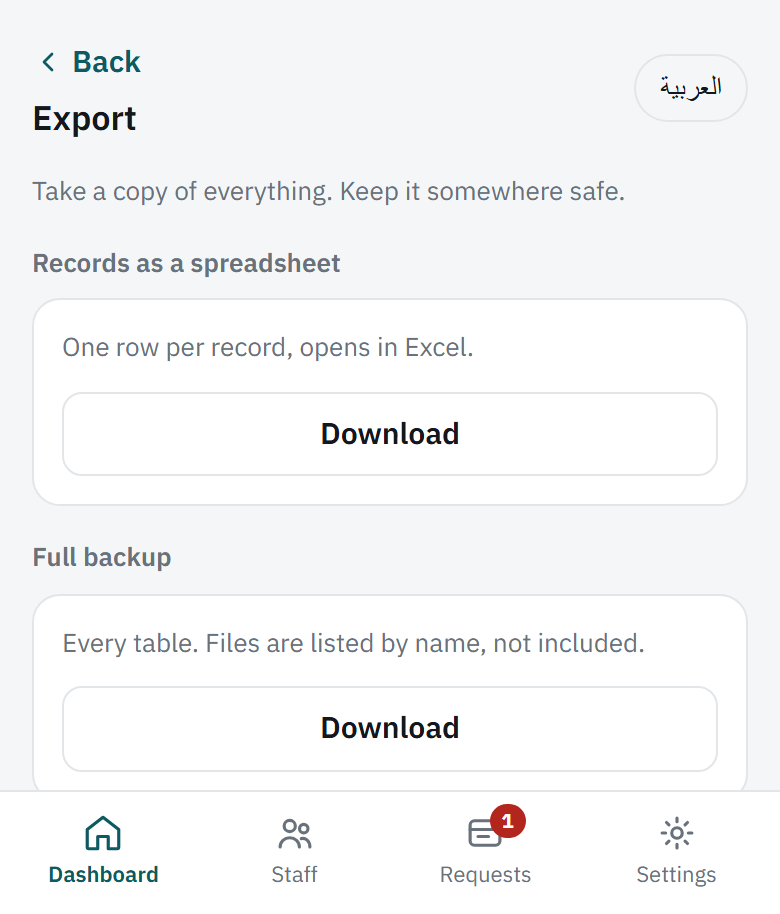
| Export | Take a copy of everything. |
Worth doing once a month
Export gives you a spreadsheet that opens in Excel, and a full backup of every table. It is your own copy, in your hands, independent of anything else.
Things worth knowing
Nothing is really deleted for thirty days
Delete a record, a person or the whole household and it is hidden immediately but kept for thirty days, so a mistake can be undone. After that it is purged for good.
The change history cannot be edited
Every change is written to a log that nobody can alter or delete, not even an admin. That is deliberate. The point of the app is a record both sides can trust.
Somebody who leaves keeps their record
On their page, They have left keeps everything and takes them off your home screen; their statement can still be opened and printed. Added by mistake deletes outright, and appears only while nothing has been recorded for them.
Dates and months
Everything runs on Amman time, and months are what matter. A payment made on the 3rd for last month settles last month, not this one.
Both languages
Every screen is in English and Arabic, switched with the button at the top right. Each person sees their own choice, so you can read English while the person working for you reads Arabic.